
Categories
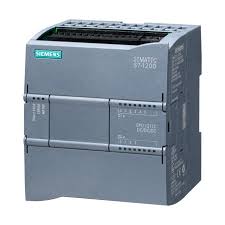 Automatisme & Contrôle Industriel
- Non classé
 Les capteurs
 Les contrôleurs
 Outillage
 Pièces solaire
 Raccordement
 Sécurité indus
 Modules d’Entrées/Sorties (I/O)
 Capteur photoélectrique
 Capteurs de niveau
 Concept de sondes modulaire pour applications aseptiques
 Manomètres à contact électroniques avec affichage analogique
 Mesure de niveau capacitive sans contact avec le fluide
 Interrupteurs/fine switches
 capteurs de temperature
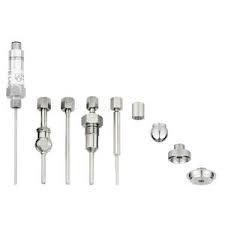 sondes rigides
 Transmetteurs avec afficheur pour l'industrie agroalimentaire
 Transmetteurs compacts pour l'utilisation industrielle
 Controleur de charge MPPT
 Analyseurs de réseaux WIBEEE
 Cables solaires & MC4
 Les batteries
 Batteries GEL OUTDO
 Batteries GEL SUNLIGHT
 Les Onduleures
 Onduleur Hybrid Any Grid
 Onduleur OFF GRID ONDES SINUSOIDALES MODIFIEES
 Onduleures must hybrides MPPT
 Onduleurs d'injection monophasé 220V
 Onduleurs hybrides MPPT
 Les variteurs
 Variareurs VEICHI 220V
 Variateures FRECON 220V-380V
 Protection DC & AC
TOP RATED PRODUCTS
-
 Siemens 6ES7 193-6BP00-0BA0 – Base d’extension SIMATIC ET 200SP
د.م. 800,00
Siemens 6ES7 193-6BP00-0BA0 – Base d’extension SIMATIC ET 200SP
د.م. 800,00
-
 Siemens 6ES7 193-6BP20-0BF0 – Base d’extension SIMATIC ET 200SP
د.م. 800,00
Siemens 6ES7 193-6BP20-0BF0 – Base d’extension SIMATIC ET 200SP
د.م. 800,00
-
 Johnson Controls MS-NCE2560-0 – Metasys Network Control Engine
د.م. 37.000,00
Johnson Controls MS-NCE2560-0 – Metasys Network Control Engine
د.م. 37.000,00
-
 Johnson Controls MS-IOM3721-0 – Module d’extension d’entrée/sortie Metasys
د.م. 13.000,00
Johnson Controls MS-IOM3721-0 – Module d’extension d’entrée/sortie Metasys
د.م. 13.000,00
-
 SICK WL100L-F2131 – Capteur photoélectrique rétro-réfléchi avec laser rouge
د.م. 4.100,00
SICK WL100L-F2131 – Capteur photoélectrique rétro-réfléchi avec laser rouge
د.م. 4.100,00
Images


CLIENT'S TESTOMONIAL

JACOB ST
acob ST propose des équipements et solutions pour les secteurs industriel, électrique, mécanique, et des énergies renouvelables.

ROBIN
Vivamus sit amet egestas metus. Interdum et malesuada fames ac ante ipsum primis in faucibus. Interdum et malesuada fames ac ante ipsum primis in faucibus.
Ensuring a smooth and convenient user experience, the Royal Reels login platform offers the popular « Remember Me » feature. This functionality allows users to stay logged in across sessions, eliminating the need to repeatedly enter their credentials each time they visit the site.
By enabling the « Remember Me » option, users can securely save their login information on their personal devices. This not only saves time but also enhances accessibility, especially for those who access the platform frequently. The feature leverages cookies and encrypted data storage to maintain account security while providing quick access.
Additionally, the system supports saved credentials, allowing users the option to store their username and password securely within their browser or application. This simplifies the login process further and encourages more seamless user engagement with the platform’s features and content.
Enhancing User Convenience with the « Remember Me » Option on Royal Reels Login
The « Remember Me » feature on Royal Reels login page offers a seamless way for users to access their accounts without repeatedly entering their credentials. This functionality significantly improves user experience by providing quick and effortless access to the platform, especially for those who log in frequently. By enabling this option, users can enjoy uninterrupted entertainment without the inconvenience of manual login each time they visit the site.
Implementing the « Remember Me » feature also benefits users by saving time and reducing frustration. This is particularly useful for users accessing their accounts across personal devices, where security measures are typically well-managed. Additionally, it encourages consistent engagement with the platform, as users are more likely to stay logged in and explore content effortlessly.
Benefits of the « Remember Me » Feature
- Convenience: Users can access their accounts instantly without entering login details repeatedly.
- Time-saving: Speeds up the login process, making content browsing more efficient.
- User retention: Facilitates regular engagement by simplifying access.
- Enhanced user experience: Provides a smooth and hassle-free platform navigation.
Security Considerations
While the « Remember Me » option increases convenience, users should remain cautious about potential security risks. It is recommended to enable this feature only on personal and secure devices. Platforms like Royal Reels often implement secure cookies and encryption to protect saved credentials, but users should still be mindful of security best practices, such as logging out on shared devices or activating two-factor authentication when available.
Implementing Persistent Login Cookies for Seamless Access
Implementing persistent login cookies enhances user experience by allowing users to stay logged into their accounts across multiple sessions without repeatedly entering their credentials. This feature is especially important for platforms like Royal Reels, where quick access to personalized content encourages user engagement and satisfaction.
Securing these cookies and managing their lifecycle effectively is crucial to prevent unauthorized access and ensure data privacy. Proper implementation involves setting appropriate cookie attributes and ensuring secure handling on both client and server sides.
Steps to Implement Persistent Login Cookies
- Generate a secure token: When the user opts for ‘Remember Me,’ create a unique, cryptographically strong token associated with their account.
- Store the token securely: Save this token in the database linked to the user’s profile and set it as a cookie on the user’s device with attributes like HttpOnly, Secure, and SameSite.
- Validate the cookie on subsequent visits: When the user revisits, the server reads the cookie, verifies the token against the database, and authenticates the session without requiring login credentials.
- Implement token rotation and expiration: Refresh tokens periodically and set expiration times to reduce security risks.
- Handle logout and cookie invalidation: Ensure that logout actions remove the cookie and invalidate the token in the database to prevent reuse.
Benefits of Persistent Cookies
- Enhanced User Experience: Users can access their accounts quickly without entering credentials repeatedly.
- Increased Engagement: Seamless access encourages users to spend more time on the platform and interact with content effortlessly.
- Convenience: Simplifies access on trusted devices while maintaining security measures.
Managing User Credentials Storage Securely on the Client Side
Effective management of user credentials on the client side is crucial to maintaining the security and privacy of user accounts. Developers must ensure that stored credentials are protected from unauthorized access, especially when implementing features like « Remember Me » in online services such as Royal Reels. Proper handling minimizes the risk of sensitive data exposure in case of device compromise or malicious attacks.
Insecure storage practices can lead to significant security vulnerabilities. Therefore, it is essential to employ secure methods and best practices when managing user credentials on the client side to safeguard user information and uphold trust in the service.
Best Practices for Secure Credential Storage
Avoid storing passwords in plain text. Instead, utilize secure storage options provided by browsers or operating systems, such as Secure Storage APIs or Encrypted Local Storage that encrypt data before saving.
Use encryption for stored data. Implement algorithms like AES to encrypt credentials, making it more difficult for attackers to extract meaningful information even if they gain access to stored files.
Implement token-based authentication. Instead of storing actual passwords, store securely issued tokens that authenticate user sessions, reducing the risk associated with credential exposure.
Methods of Credential Storage
- Cookies: Can be configured with HttpOnly and Secure flags, making them less vulnerable to cross-site scripting (XSS) attacks.
- Local Storage: Offers persistent storage but is accessible via JavaScript, so sensitive data must be encrypted before storage.
- Secure Storage APIs: Available on some platforms, providing encrypted storage that requires platform-specific APIs.
Regular Security Audits and User Controls
Implement regular security checks to identify potential vulnerabilities in the credential storage mechanisms. Additionally, provide users with options to clear stored credentials or disable the « Remember Me » feature, giving them control over their data and enhancing overall security.
| Storage Method | Security Level | Recommendation |
|---|---|---|
| Cookies | Moderate | Use HttpOnly and Secure flags; encrypt stored data |
| Local Storage | Low | Encrypt data; avoid storing plain credentials |
| Secure Storage APIs | High | Utilize platform-specific encrypted storage features |
Optimizing Platform Security When Saving User Data
Implementing the « Remember Me » feature and saving credentials can significantly enhance user convenience on platforms like Royal Reels. However, it also introduces potential security vulnerabilities that must be addressed to protect sensitive user information. Proper security measures are essential to prevent unauthorized access and ensure data integrity across the platform.
Adopting best practices for data security not only safeguards user data but also builds trust and compliance with privacy regulations. The following strategies can help optimize platform security when managing saved user credentials.
Best Practices for Securing Saved User Data
- Encrypt sensitive data: Store passwords and credentials using strong encryption algorithms such as AES-256 to prevent unauthorized access even if data is compromised.
- Use secure cookies: Save « Remember Me » tokens in HttpOnly and Secure cookies to guard against cross-site scripting (XSS) and man-in-the-middle (MITM) attacks.
- Implement multi-factor authentication (MFA): Add an additional layer of security so that accessing saved data requires multiple verification steps.
- Regular security audits: Conduct periodic evaluations of storage mechanisms and access controls to identify vulnerabilities.
Additional Security Measures
- Limit credential storage duration: Use expiration policies for saved credentials to minimize risk exposure over time.
- Obfuscate stored data: Avoid storing plain-text credentials; employ hashing or tokenization where suitable.
- Enforce strong password policies: Encourage users to create complex passwords that are less susceptible to brute-force attacks.
| Security Aspect | Recommended Action |
|---|---|
| Data Encryption | Use AES-256 encryption for stored credentials |
| Cookies | Set HttpOnly, Secure, and SameSite flags |
| Access Controls | Implement strict authentication and authorization checks |
| Monitoring | Track suspicious access attempts and anomalies |
Troubleshooting Common Issues in Credential Retention Features
Many users rely on the « Remember Me » feature in Royal Reels login systems to streamline their access without repeatedly entering credentials. However, issues such as saved login details not persisting or automatic login failures can disrupt user experience. Understanding the common problems and their solutions is essential for maintaining a smooth authentication process.
Several factors may interfere with credential retention. Examining both client-side and server-side configurations can help identify the root cause. Below are key troubleshooting steps and considerations for resolving these issues.
Common Causes and Solutions for Credential Retention Issues
- Cookies and Local Storage Settings:
Ensure that cookies or local storage are enabled in the user’s browser. Disabling these features can prevent credentials from being saved properly. Users should verify their browser settings and allow storage for the website domain.
- Browser Compatibility and Updates:
Outdated or incompatible browsers may not support the necessary storage mechanisms for credential saving. Advise users to update their browsers or try a different browser to test if the issue persists.
- Security Settings and Clearing Stored Data:
High security settings or manual clearing of cookies and cache can erase stored credentials. Users should check their settings and consider adding exceptions for trusted sites.
- Server-Side Configuration Issues:
If the server does not properly set persistent cookies or misconfigures session timeouts, credentials may not be retained as expected. Developers should review cookie attributes like expires and Secure flags to ensure persistent login capabilities.
- Implementation of Secure Authentication Tokens:
Using tokens such as JWTs or refresh tokens can improve credential retention. Confirm that token storage mechanisms are correctly implemented and held securely.
Troubleshooting Tips
- Clear browser cache and cookies, then attempt to log in with the « Remember Me » option enabled.
- Verify browser settings to ensure storage features are active.
- Test the login process across different browsers and devices to isolate environment-specific issues.
- Review server configurations related to cookies and session lifespan.
- Implement or update to secure token-based authentication for better reliability.
| Issue | Possible Cause | Recommended Action |
|---|---|---|
| Credentials not saved after login | Cookies disabled or expired | Enable cookies and check expiration settings |
| Automatic login fails intermittently | Session timeout or token invalidation | Adjust session timeout settings and refresh tokens |
| Credentials disappear after browser restart | Cache clearing or security software interference | Modify security settings or notify users to avoid clearing data |
Q&A:
How does the « Remember Me » feature work on Royal Reels login?
The « Remember Me » option on Royal Reels allows the website to save your login information on your device. When you select this feature, your browser stores a session token or cookie that automatically signs you into your account during subsequent visits. This process eliminates the need to manually enter your credentials each time you access the platform, providing more convenience for regular users. However, it’s important to be cautious when using this feature on shared or public computers to prevent unauthorized access to your account.
Are my saved login credentials safe when using the « Remember Me » feature?
Security of saved login details depends on how the website manages the storage of authentication data and the security measures of your device. Royal Reels implements encryption protocols to protect user information, but using the « Remember Me » feature on personal devices minimizes risks. To enhance safety, avoid selecting this option on public or shared computers, and ensure your device has updated security software. Regularly review your account activity to spot any unauthorized access attempts and change your password if necessary.
What should I do if I can’t log in even with the « Remember Me » option enabled?
If you’re experiencing login issues despite selecting « Remember Me, » first try clearing your browser’s cache and cookies, then restart the browser and attempt to sign in again. Confirm that your device has stable internet connectivity, as interruptions can interfere with the authentication process. If problems persist, reset your password or contact Royal Reels support for assistance. Sometimes, the website may perform updates or have technical difficulties that temporarily affect login functionality.
Can I disable or modify the « Remember Me » setting after logging in?
Yes, most platforms, including Royal Reels, allow you to change your login options. If you’ve previously enabled « Remember Me, » you can simply log out of your account and log back in without selecting the option. To ensure your credentials are not stored persistently, you can also manually clear saved cookies or session data in your browser settings. Additionally, some sites offer account settings where you can toggle the automatic login feature for future sessions, giving you more control over your login preferences.
Does using the « Remember Me » feature affect my account security when using mobile devices?
Utilizing the « Remember Me » function on your mobile device can offer convenience, but it also presents some security considerations. If you keep your device locked with a passcode, biometric verification, or other security measures, the risk of unauthorized access decreases. Without such protections, someone gaining physical access to your device could potentially access your account without needing to enter login details repeatedly. It’s advisable to use this feature primarily on personal, secured devices and to review your account settings regularly for any suspicious activity.
How does the « Remember Me » feature work on Royal Reels login?
The « Remember Me » option allows the website to store your login information on your device. When you select this feature during login, your browser saves a cookie with your credentials, enabling automatic authentication in future visits without needing to enter your details each time. This process simplifies access, especially if you frequently use the platform from the same device. However, it is recommended to use this feature only on personal computers to prevent unauthorized access by others who might have access to your device.
Are my saved credentials on Royal Reels secure if I use the « Remember Me » feature?
Using the « Remember Me » option can be safe if proper security measures are in place. The website typically encrypts stored data, and modern browsers isolate cookies to prevent unauthorized access. Nonetheless, security depends on factors like the strength of your device’s password, whether you log out after use on shared devices, and if your browser settings prevent unauthorized cookie access. To protect your information, avoid using this feature on public or shared computers, and ensure your device has updated security software.

CLIENTS

Notre priorité est de vous fournir un service client d'exception, adapté à vos besoins spécifiques dans les domaines industriel, électrique, mécanique et des énergies renouvelables. Nous nous engageons à vous accompagner à chaque étape de votre projet, avec des solutions sur mesure et un support technique de qualité.
Qui nous sommes

JACOB ST est une société opérant dans le domaine industriel, spécialisée dans l'installation de nouveaux projets, qu'ils soient électriques ou mécaniques, ainsi que dans les services liés à l'énergie renouvelable.
Lire PlusProduits


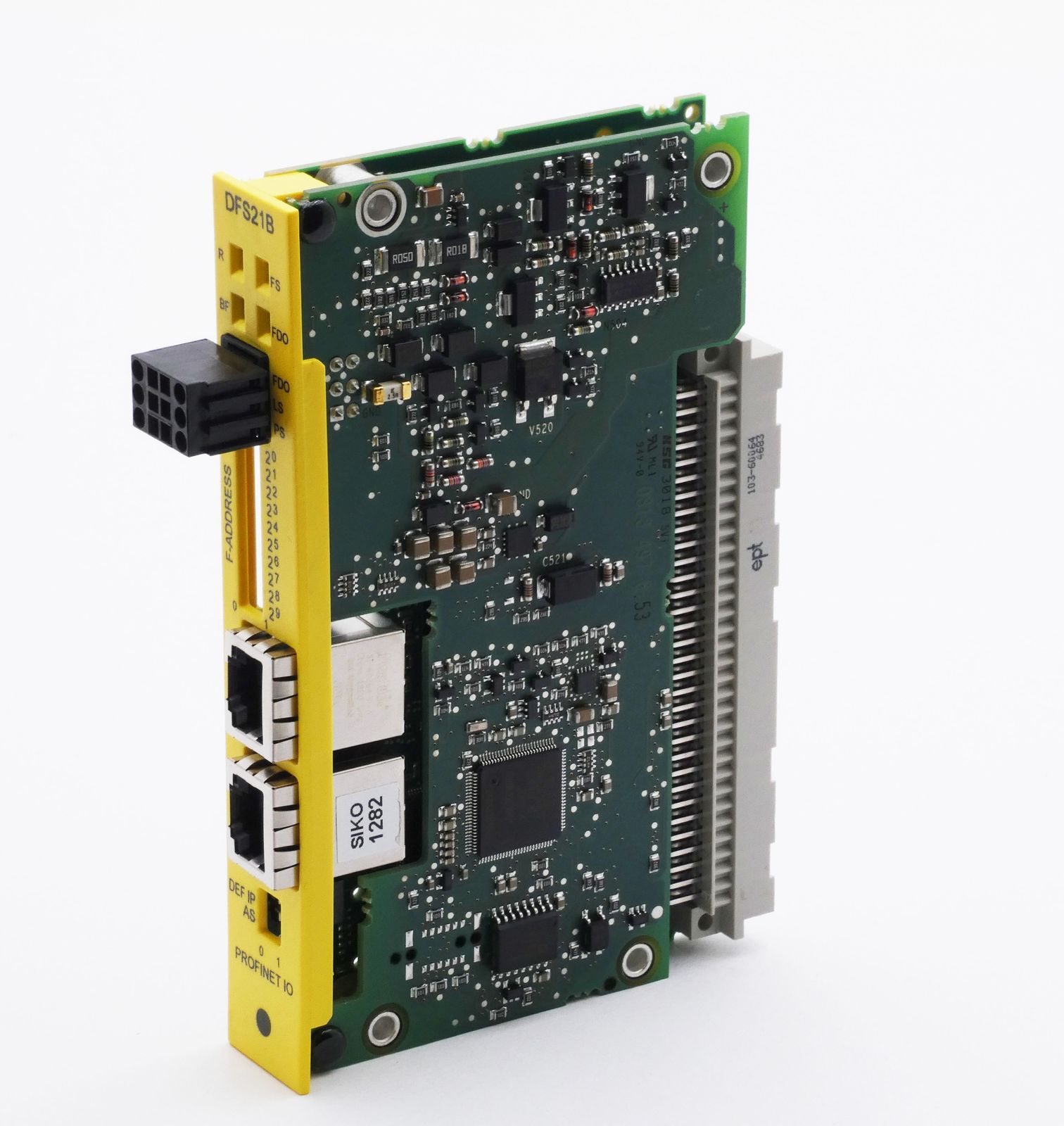
Bon future

Laisser un commentaire