
Categories
 Automatisme & Contrôle Industriel
- Non classé
 Les capteurs
 Les contrôleurs
 Outillage
 Pièces solaire
 Raccordement
 Sécurité indus
 Modules d’Entrées/Sorties (I/O)
 Capteur photoélectrique
 Capteurs de niveau
 Concept de sondes modulaire pour applications aseptiques
 Manomètres à contact électroniques avec affichage analogique
 Mesure de niveau capacitive sans contact avec le fluide
 Interrupteurs/fine switches
 capteurs de temperature
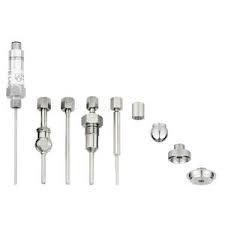 sondes rigides
 Transmetteurs avec afficheur pour l'industrie agroalimentaire
 Transmetteurs compacts pour l'utilisation industrielle
 Controleur de charge MPPT
 Analyseurs de réseaux WIBEEE
 Cables solaires & MC4
 Les batteries
 Batteries GEL OUTDO
 Batteries GEL SUNLIGHT
 Les Onduleures
 Onduleur Hybrid Any Grid
 Onduleur OFF GRID ONDES SINUSOIDALES MODIFIEES
 Onduleures must hybrides MPPT
 Onduleurs d'injection monophasé 220V
 Onduleurs hybrides MPPT
 Les variteurs
 Variareurs VEICHI 220V
 Variateures FRECON 220V-380V
 Protection DC & AC
TOP RATED PRODUCTS
-
 Siemens 6ES7 193-6BP00-0BA0 – Base d’extension SIMATIC ET 200SP
د.م. 800,00
Siemens 6ES7 193-6BP00-0BA0 – Base d’extension SIMATIC ET 200SP
د.م. 800,00
-
 Siemens 6ES7 193-6BP20-0BF0 – Base d’extension SIMATIC ET 200SP
د.م. 800,00
Siemens 6ES7 193-6BP20-0BF0 – Base d’extension SIMATIC ET 200SP
د.م. 800,00
-
 Johnson Controls MS-NCE2560-0 – Metasys Network Control Engine
د.م. 37.000,00
Johnson Controls MS-NCE2560-0 – Metasys Network Control Engine
د.م. 37.000,00
-
 Johnson Controls MS-IOM3721-0 – Module d’extension d’entrée/sortie Metasys
د.م. 13.000,00
Johnson Controls MS-IOM3721-0 – Module d’extension d’entrée/sortie Metasys
د.م. 13.000,00
-
 SICK WL100L-F2131 – Capteur photoélectrique rétro-réfléchi avec laser rouge
د.م. 4.100,00
SICK WL100L-F2131 – Capteur photoélectrique rétro-réfléchi avec laser rouge
د.م. 4.100,00
Images


CLIENT'S TESTOMONIAL

JACOB ST
acob ST propose des équipements et solutions pour les secteurs industriel, électrique, mécanique, et des énergies renouvelables.

ROBIN
Vivamus sit amet egestas metus. Interdum et malesuada fames ac ante ipsum primis in faucibus. Interdum et malesuada fames ac ante ipsum primis in faucibus.
With the increasing popularity of online gambling, players are seeking convenient and accessible ways to enjoy their favorite casino games on the go. Rocketplay online casino offers an optimized mobile experience that allows users to access a wide variety of slots, table games, and live dealer options directly from their smartphones and tablets.
Whether through dedicated applications or mobile-optimized websites, the convenience of playing anytime and anywhere is essential for modern players. While many online casinos provide official mobile apps, not all of them are available on every device or operating system. As a result, exploring alternative methods to access Rocketplay on mobile can enhance user experience and ensure seamless gameplay without restrictions.
In this article, we will discuss the official Rocketplay app as well as various alternative options for mobile access, including browser-based play and third-party solutions. These alternatives can be especially useful for players who prefer not to download additional software or who wish to access their accounts quickly and securely from different devices.
Rocketplay Online Casino: Navigating Mobile Browser Compatibility
As more players choose to enjoy online casino games on their mobile devices, ensuring seamless access through various browsers becomes essential. Rocketplay Online Casino strives to provide a smooth gaming experience regardless of the browser used, but compatibility issues can sometimes arise.
Understanding which browsers deliver optimal performance can significantly enhance user satisfaction. This article explores key considerations for navigating mobile browser compatibility when accessing Rocketplay Online Casino.
Mobile Browser Compatibility and Performance
Rocketplay Online Casino is designed to work across a wide range of mobile browsers, including popular options such as Google Chrome, Safari, Firefox, and Microsoft Edge. To ensure the best experience, players should keep their browsers updated to the latest versions, as updates often include security patches and performance improvements that enhance compatibility.
Players should also verify that their device’s operating system is up to date, as this influences browser functionality. For instance, outdated Android or iOS versions may lead to slower load times, interface glitches, or even access restrictions to certain features.
Tips for Optimizing Your Mobile Browser Experience
- Use the recommended browsers: Chrome for Android devices and Safari for iOS devices typically offer the most reliable performance with Rocketplay.
- Enable JavaScript: Ensure that JavaScript is enabled in your browser settings, as many casino features rely on it.
- Disable unnecessary extensions: Extensions or add-ons can interfere with the site’s functionality. Disable them when accessing the casino.
- Clear cache and cookies: Regularly clearing your browser’s cache can improve loading times and prevent glitches.
- Test different browsers: If experiencing issues on one browser, try switching to another to identify the most compatible option for your device.
| Browser | Compatibility Level | Recommended For |
|---|---|---|
| Google Chrome | High | Most Android Devices |
| Safari | High | iOS Devices |
| Firefox | Moderate | Cross-platform Users |
| Microsoft Edge | Moderate | Windows Devices |
Optimizing Navigation: How to Access Rocketplay via Smartphone Browsers
Accessing Rocketplay Online Casino on your smartphone’s browser offers a convenient and seamless gaming experience without the need to download additional apps. To ensure smooth navigation, it is essential to optimize your browser settings and follow some best practices for mobile browsing.
Start by opening your preferred web browser, such as Chrome, Safari, or Firefox. Ensure that your browser is updated to the latest version to support all website features and security updates. To improve site performance and minimize disruptions, clear your cache and cookies regularly, which can enhance load times and prevent display issues.
Steps for Smooth Access and Navigation
- Use the Mobile-Optimized Website: Visit the official Rocketplay website via your browser. Most modern sites automatically detect mobile devices and adjust the layout for easy navigation.
- Enable Desktop Mode if Necessary: If the website does not display properly, switch to desktop mode from your browser settings. This can sometimes resolve compatibility issues.
- Adjust Browser Settings: Disable pop-up blockers or ad blockers that might interfere with site functionality. Enable JavaScript to ensure all features work correctly.
- Use a Stable Internet Connection: A reliable Wi-Fi or cellular connection minimizes loading issues and provides a better gaming experience.
| Helpful Tips for Optimized Navigation |
|---|
|
Evaluating the Quality of Rocketplay’s Official Mobile App for Different Devices
The Rocketplay official mobile app offers a seamless gaming experience designed to accommodate a wide range of devices, including smartphones and tablets across various operating systems. Assessing its quality involves examining factors such as interface performance, graphics, and overall user satisfaction. Players seek smooth and responsive gameplay, which depends heavily on the app’s optimization for their specific device.
To determine the app’s effectiveness, users often test it on both Android and iOS platforms, observing differences in speed, stability, and compatibility. A high-quality app should function well across different device specifications, providing consistent performance without crashes or lag. Compatibility updates and regular maintenance also indicate a developer’s commitment to quality and user experience.
Device Compatibility and Performance
- Android Devices: The Rocketplay app generally runs well on most modern Android smartphones and tablets, though performance may vary based on device specifications. Users with lower-end devices might experience slower load times or minor glitches.
- iOS Devices: On iPhone and iPad, the app is usually optimized to deliver crisp graphics and fluid navigation, leveraging iOS’s robust hardware capabilities. However, older iOS versions may encounter compatibility issues.
Features and User Experience
- Interface: The app boasts a user-friendly interface with intuitive controls, ensuring ease of access for both new and experienced players.
- Graphics and Sound: Visually appealing graphics and immersive sound design enhance the gaming experience, provided the app is properly optimized for the device’s display capabilities.
- Stability: Regular updates improve app stability, reducing crashes and connection disruptions on various devices.
| Device Type | Performance Notes | Potential Issues |
|---|---|---|
| Android | Generally smooth, optimized for recent devices | Lag or crashes on older models |
| iOS | High compatibility, excellent graphics | Possible issues on outdated iOS versions |
Exploring Third-Party App Solutions for Enhanced Gaming Experience on Rocketplay
Players seeking to maximize their gaming experience on Rocketplay often look beyond the official app to third-party solutions that can offer additional features, improved accessibility, and customization options. These alternative applications can provide seamless navigation, faster gameplay, and a broader selection of games, making the overall gambling experience more engaging and efficient.
Utilizing third-party apps can also help players access Rocketplay on devices or networks where the official app may have limitations or restrictions. However, it is essential to choose reputable and secure solutions to protect personal data and ensure fair play. Exploring these options requires understanding their benefits and potential risks.
Advantages of Third-Party Apps for Rocketplay Users
- Enhanced User Interface: Many third-party apps offer intuitive and customizable interfaces that improve ease of use and navigation.
- Increased Compatibility: They often support a wider range of devices and operating systems, ensuring access even on less common platforms.
- Additional Features: Features such as faster loading times, integrated tools, and personalized notifications can elevate the gaming experience.
- Unrestricted Access: Some third-party solutions bypass restrictions in certain regions, providing uninterrupted gameplay.
Considerations When Choosing a Third-Party App
- Reputation and Security: Verify the credibility of the app provider to avoid scams or malware.
- Compatibility: Ensure the app supports your device and operating system.
- Legal Compliance: Select apps that adhere to legal standards and do not violate Rocketplay’s terms of service.
- Features Offered: Compare functionalities to select an app that best fits your gaming preferences.
| Feature | Benefits |
|---|---|
| Custom UI | Personalized gaming environment tailored to user preferences |
| Device Compatibility | Ensures accessibility across various smartphones and tablets |
| Performance Optimization | Reduces lag and improves game loading times |
| Security Features | Protects user data and ensures safe gambling sessions |
Q&A
Can I access Rocketplay’s online casino on my mobile device without downloading an app?
Yes, Rocketplay offers a mobile-friendly website that allows players to enjoy your favorite casino games directly through a web browser on smartphones or tablets. This means you can simply visit their site and start playing without the need to install any additional software. The site is optimized for various screen sizes, ensuring a smooth and enjoyable gaming experience on your mobile device.
Are there any alternative ways to access Rocketplay’s games if I don’t want to use the official app?
Absolutely. Besides using the official mobile application, players can access Rocketplay’s offerings via mobile browsers, which provide quick and easy entry to the platform. Some users also install third-party app stores or create shortcuts on their home screens, which can resemble an app icon and offer faster access. Always ensure you’re using trusted sources to avoid security risks, and keep your device’s security settings up to date.
Is Rocketplay mobile app available for both Android and iOS devices?
Yes, Rocketplay provides applications compatible with both Android and iOS operating systems. The apps are tailored to each platform’s specifications, enabling users to enjoy seamless gameplay on their smartphones or tablets. If you prefer not to use the app, the platform also supports access through mobile web browsers on all compatible devices, maintaining a flexible gaming experience.
What are the main advantages of using Rocketplay’s app over mobile browser access?
Using the Rocketplay app offers several benefits, such as faster loading times, easier navigation, and notifications about promotions or updates. Apps also tend to provide more stable play sessions and better graphics performance compared to browsing through a mobile browser. However, the choice ultimately depends on personal preference and device capabilities, as both methods give comprehensive access to the platform’s features.

CLIENTS

Notre priorité est de vous fournir un service client d'exception, adapté à vos besoins spécifiques dans les domaines industriel, électrique, mécanique et des énergies renouvelables. Nous nous engageons à vous accompagner à chaque étape de votre projet, avec des solutions sur mesure et un support technique de qualité.
Qui nous sommes

JACOB ST est une société opérant dans le domaine industriel, spécialisée dans l'installation de nouveaux projets, qu'ils soient électriques ou mécaniques, ainsi que dans les services liés à l'énergie renouvelable.
Lire PlusProduits


Bon future

Laisser un commentaire