
Categories
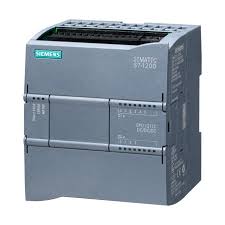 Automatisme & Contrôle Industriel
- Non classé
 Les capteurs
 Les contrôleurs
 Outillage
 Pièces solaire
 Raccordement
 Sécurité indus
 Modules d’Entrées/Sorties (I/O)
 Capteur photoélectrique
 Capteurs de niveau
 Concept de sondes modulaire pour applications aseptiques
 Manomètres à contact électroniques avec affichage analogique
 Mesure de niveau capacitive sans contact avec le fluide
 Interrupteurs/fine switches
 capteurs de temperature
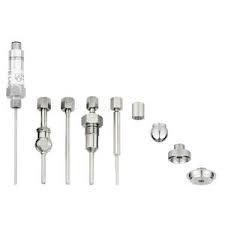 sondes rigides
 Transmetteurs avec afficheur pour l'industrie agroalimentaire
 Transmetteurs compacts pour l'utilisation industrielle
 Controleur de charge MPPT
 Analyseurs de réseaux WIBEEE
 Cables solaires & MC4
 Les batteries
 Batteries GEL OUTDO
 Batteries GEL SUNLIGHT
 Les Onduleures
 Onduleur Hybrid Any Grid
 Onduleur OFF GRID ONDES SINUSOIDALES MODIFIEES
 Onduleures must hybrides MPPT
 Onduleurs d'injection monophasé 220V
 Onduleurs hybrides MPPT
 Les variteurs
 Variareurs VEICHI 220V
 Variateures FRECON 220V-380V
 Protection DC & AC
TOP RATED PRODUCTS
-
 Siemens 6ES7 193-6BP00-0BA0 – Base d’extension SIMATIC ET 200SP
د.م. 800,00
Siemens 6ES7 193-6BP00-0BA0 – Base d’extension SIMATIC ET 200SP
د.م. 800,00
-
 Siemens 6ES7 193-6BP20-0BF0 – Base d’extension SIMATIC ET 200SP
د.م. 800,00
Siemens 6ES7 193-6BP20-0BF0 – Base d’extension SIMATIC ET 200SP
د.م. 800,00
-
 Johnson Controls MS-NCE2560-0 – Metasys Network Control Engine
د.م. 37.000,00
Johnson Controls MS-NCE2560-0 – Metasys Network Control Engine
د.م. 37.000,00
-
 Johnson Controls MS-IOM3721-0 – Module d’extension d’entrée/sortie Metasys
د.م. 13.000,00
Johnson Controls MS-IOM3721-0 – Module d’extension d’entrée/sortie Metasys
د.م. 13.000,00
-
 SICK WL100L-F2131 – Capteur photoélectrique rétro-réfléchi avec laser rouge
د.م. 4.100,00
SICK WL100L-F2131 – Capteur photoélectrique rétro-réfléchi avec laser rouge
د.م. 4.100,00
Images


CLIENT'S TESTOMONIAL

JACOB ST
acob ST propose des équipements et solutions pour les secteurs industriel, électrique, mécanique, et des énergies renouvelables.

ROBIN
Vivamus sit amet egestas metus. Interdum et malesuada fames ac ante ipsum primis in faucibus. Interdum et malesuada fames ac ante ipsum primis in faucibus.
Ensuring a safe online gaming environment is essential, especially for families. At Allright Casino, setting up parental controls is a straightforward process designed to help you manage your family’s online gaming experience effectively.
What are Parental Controls?
Parental controls are features that allow you to restrict or supervise the gaming activities of underage players. These controls can limit access to certain games, set spending limits, and monitor gameplay duration. Not only do they promote responsible gaming, but they also help in fostering a safer online environment for minors.
How Can I Set Up Parental Controls at Allright Casino?
- Step 1: Log into your Allright Casino account.
- Step 2: Navigate to the “Account Settings” section.
- Step 3: Look for the “Parental Controls” option.
- Step 4: Enable parental controls by toggling the switch to “On.”
- Step 5: Set a secure password to prevent unauthorised changes.
- Step 6: Define restrictions, such as spending limits and game access.
- Step 7: Save your settings and log out.
What Restrictions Can I Set?
When setting up parental controls, you can impose several types of restrictions:
- Game Access: Block access to specific games or categories.
- Spending Limits: Set daily, weekly, or monthly deposit limits.
- Time Limits: Control how long an account can be active each day.
Why Are Parental Controls Important?
Parental controls are crucial for several reasons:
- They help protect minors from inappropriate content.
- They encourage responsible gaming practices.
- They provide peace of mind for parents, knowing that gaming is monitored.
Common Myths about Parental Controls
- Myth 1: Parental controls are too complicated to set up.
- Myth 2: Once set, parental controls cannot be changed.
- Myth 3: Parental controls completely block all gaming.
Reality: The setup process at Allright Casino is user-friendly and can be completed in just a few minutes.
Reality: You can update or remove restrictions at any time through your account settings.
Reality: They allow parents to customise settings to balance safety and enjoyment.
What Happens If I Forget My Parental Control Password?
If you forget your parental control password, you can reset it through the “Forgot Password?” link in the parental control settings. You may need to provide additional verification, such as account confirmation or answering security questions, to ensure that only the account holder can make changes.
Are There Any Fees for Using Parental Controls?
No, setting up and using parental controls at Allright Casino is completely free. This feature is included as part of your gaming account, allowing you to protect your family without any additional costs.
Conclusion
Setting up parental controls at Allright Casino is a vital step towards ensuring a secure online gaming environment for your family. By following the simple steps outlined above, you can manage access and promote responsible gaming, making the online experience enjoyable and safe for everyone.

CLIENTS

Notre priorité est de vous fournir un service client d'exception, adapté à vos besoins spécifiques dans les domaines industriel, électrique, mécanique et des énergies renouvelables. Nous nous engageons à vous accompagner à chaque étape de votre projet, avec des solutions sur mesure et un support technique de qualité.
Qui nous sommes

JACOB ST est une société opérant dans le domaine industriel, spécialisée dans l'installation de nouveaux projets, qu'ils soient électriques ou mécaniques, ainsi que dans les services liés à l'énergie renouvelable.
Lire PlusProduits


Bon future

Laisser un commentaire